
#Quick Start
import { Pool } from 'pg'
import { PgHistory } from 'pg-history'

const pool = new Pool({ connectionString: 'postgres://localhost:5432/mydb' })
const history = new PgHistory({ pool, tables: ['users'] })
await history.setup()

// That's it. Every INSERT/UPDATE/DELETE on 'users' is now audited automatically.

// Normal database operations — triggers capture everything
await pool.query(`INSERT INTO users (id, name, email) VALUES (1, 'Alice', 'alice@example.com')`)
await pool.query(`UPDATE users SET name = 'Alice Smith' WHERE id = 1`)
await pool.query(`UPDATE users SET email = 'alice.smith@example.com' WHERE id = 1`)

// See the full history of changes
const result = await history.getHistory('users', '1')
// [
//   { operation: 'UPDATE', oldData: { name: 'Alice Smith', email: 'alice@example.com' }, ... },
//   { operation: 'UPDATE', oldData: { name: 'Alice', ... }, newData: { name: 'Alice Smith', ... } },
//   { operation: 'INSERT', newData: { id: 1, name: 'Alice', email: 'alice@example.com' } },
// ]

// Search across all audited data (GIN-indexed JSON containment)
const found = await history.search({
  tables: ['users'],
  query: '{"email": "alice@example.com"}',
})

// Revert to a previous state — reverting an UPDATE entry restores its `oldData`
await history.revert('users', '1', result.data[1].id) // back to name 'Alice'
// (reverting the INSERT entry would DELETE the row instead — see the revert table below)

await history.close()   // ends only a pool pg-history created itself
await pool.end()        // your pool stays yours to close
Skip auditing secrets/PII by listing the columns to strip per table:
new PgHistory({
  pool,
  tables: ['users'],
  excludeColumns: { users: ['password_hash', 'mfa_secret'] },
})
Inject a structured logger to route library events (Archival complete, Batch failed, etc.) into your aggregator:
import pino from 'pino'
new PgHistory({ pool, tables: ['users'], logger: pino() })#Installation
bun add pg-historypg, hono, and the S3/Parquet libraries ship as regular dependencies — nothing else to install.
Requires PostgreSQL 12+, Node.js 18+ or Bun. The optional appendOnly guard needs PostgreSQL 14+.
#Examples
Working examples in examples/. Each creates a temporary database, runs against real PostgreSQL, and cleans up after itself.
docker compose up -d
bun examples/basic-audit-trail.ts
Examples assert their own output, so they exit non-zero if the behavior they document ever changes. bun test runs all of them (see test/examples.test.ts); the archival examples are skipped when MinIO isn't reachable.
| Example | What it shows |
|---|---|
| basic-audit-trail.ts | Setup, INSERT/UPDATE/DELETE tracking, history retrieval |
| search-and-revert.ts | JSONB containment search, text search, filtering, revert |
| multi-table-tracking.ts | Multiple related tables, composite primary keys, cross-table search |
| rest-api-server.ts | Hono REST API server with history endpoints |
| cron-archival.ts | POST /api/archive endpoint, cron secret auth, health status |
| archival-lifecycle.ts | Full S3 archival pipeline: archive, soft delete, hard delete |
| error-handling.ts | Typed error classes, catching specific errors |
| next/ | Files to copy into a Next.js app: catch-all route handler, vercel.json cron, plus test-locally.ts that exercises the serverless setup against Docker |
#How It Works
pg-history uses PostgreSQL's own trigger system to capture every change. Nothing runs in your application — the database does all the work.
#1. Setup installs triggers
When you call history.setup(), pg-history creates:
- A partitioned
audit_logtable (one partition per tracked table for fast queries) - An
AFTERtrigger on each tracked table - GIN indexes on the JSONB columns for fast search
The triggers run inside PostgreSQL. Once installed, every write is audited regardless of what connects — your app, a migration script, psql, another microservice, or a serverless function. If it touches the table, it gets logged.
#2. Triggers capture changes in the same transaction
When a row is inserted, updated, or deleted, the trigger fires and writes to audit_log within the same transaction. If the write fails, the audit entry is rolled back too. If the audit insert fails, the original write is rolled back. This guarantees no operation succeeds without being recorded.
BEGIN
  UPDATE users SET name = 'Bob' WHERE id = 1;    -- your write
  INSERT INTO audit_log (...);                     -- trigger fires automatically
COMMIT -- both succeed or both fail#3. Query and revert through the library
The PgHistory class provides methods to read back the audit trail:
getHistory(table, recordId)— full change history for one record, cursor-paginatedsearch({ tables, query, ... })— search across tables by JSON fields or text, with date and operation filtersrevert(table, recordId, auditEntryId)— restore a record to any previous state in a single transaction
#4. Archival lifecycle (optional)
For tables that accumulate millions of audit records, the archiver moves old data to S3 as compressed Parquet files, then deletes it in stages. No row is deleted without a verified backup. See Archiver.
#Architecture
#audit_log Schema
One partitioned audit_log table — partitioned by LIST (table_name) so queries against one table don't scan others. You can query it directly if you want, but the typed getHistory / search API is recommended.
| Column | Type | Description |
|---|---|---|
id |
BIGSERIAL |
Audit entry ID — use as cursor |
table_name |
TEXT |
Source table |
record_id |
TEXT |
PK value(s) of the affected row |
operation |
TEXT |
INSERT / UPDATE / DELETE / TRUNCATE |
changed_at |
TIMESTAMPTZ |
Transaction timestamp |
old_data |
JSONB |
Previous row state (excluded columns omitted) |
new_data |
JSONB |
New row state (excluded columns omitted) |
db_user |
TEXT |
DB role that made the change (current_user) |
app_actor |
TEXT |
Application actor (from the pg_history.actor session setting), or NULL |
client_addr |
INET |
Client network address (inet_client_addr()), or NULL |
Capturing the application user: every audit row records db_user and client_addr automatically. To also record your end-user, set a session-local variable before the write and the trigger stores it in app_actor:
SET LOCAL pg_history.actor = 'user-42'; -- same transaction as the DMLWhen the archiver is enabled, additional columns track lifecycle: archived_at, s3_path, soft_deleted_at, claim_id, claimed_at. Treat these as internal — getHistory and search filter on them automatically (soft-deleted rows hidden, archived rows still visible until hard-deleted).
#Primary Key Handling
record_id is derived from the source table's PK:
| PK Type | record_id |
|---|---|
| Single column | PK value cast to text |
| Composite | Each part joined with chr(31) (ASCII unit separator), full value — not truncated, so distinct keys can't collide. Build the same string client-side to look it up: `${customerId}\x1f${tag}` (see multi-table-tracking.ts) |
| None | md5(row_to_json(...)::text) — the value changes on every UPDATE, so getHistory cannot correlate INSERT with later UPDATEs. A warning is logged at setup; pass requirePrimaryKey: true to reject PK-less tables outright. Use tables with a PK for full history. |
#API Reference
#PgHistory
#Constructor
const history = new PgHistory({
  tables: ['users', 'orders'],
  pool: existingPool,                      // or connection: 'postgres://...'
  excludeColumns: {                         // optional — strip PII per table
    users: ['password_hash', 'ssn'],
  },
  logger: pino(),                           // optional — defaults to consoleLogger
  maxConcurrentSearches: 4,                 // optional — cap concurrent search() (default 4, 0 = off)
  appendOnly: false,                        // optional — install append-only guard trigger
  requirePrimaryKey: false,                 // optional — reject tables without a PK
})poolorconnection— one is required.connectioncreates an internal Pool thatclose()ends;poolis borrowed andclose()doesn't end it.excludeColumns— per-table column allowlist subtraction. Trigger emits(to_jsonb(NEW) - 'col1' - 'col2'). PK columns rejected at setup (would breakrevert()).logger— anything implementing theLoggerinterface (debug/info/warn/error).silentLoggeravailable for tests.maxConcurrentSearches— bounds concurrentsearch()queries so unindexedILIKEscans can't exhaust the pool. Excess searches reject withSearchConcurrencyLimitError(HTTP 429 via the server). Default 4; set0to disable.appendOnly— whentrue,setup()installs aBEFORE UPDATE OR DELETEguard trigger onaudit_logthat blocks mutations unless the session setpg_history.maintenance = 'on'(the archiver does this automatically). Makes the trail append-only for the application. Tamper-resistance, not cryptographic tamper-evidence — see Production Caveats. Requires PostgreSQL 14+. Defaultfalse.requirePrimaryKey— whentrue,setup()throws for a table with no primary key instead of logging a warning. Defaultfalse.
#setup(): Promise<void>
Creates audit_log table, partitions, indexes, and triggers. Idempotent — safe to call on every app startup. Concurrent calls dedup on a shared promise.
Required before getHistory(), search(), or revert(). These methods throw SetupRequiredError if setup hasn't completed.
#getHistory(tableName, recordId, options?): Promise<PaginatedResult<AuditEntry>>
Options: limit (default 50, max 1000), cursor (opaque ID), order ('asc' | 'desc', default 'desc').
Excludes soft-deleted entries when the archiver schema is present.
#search(options): Promise<SearchPaginatedResult<AuditEntry>>
Options: tables (required), query, operation ('INSERT' / 'UPDATE' / 'DELETE'), dateFrom, dateTo, limit (default 100, max 1000), cursor (typed SearchCursor).
If query looks like JSON ({...}), uses @> containment (GIN-indexed) with a 30s timeout. Otherwise falls back to ILIKE text search with a 5s timeout. Both timeouts use SET LOCAL statement_timeout so the pooled connection returns clean.
Returned nextCursor is branded SearchCursor — only pass it back to search(), not getHistory() (different sort direction).
#revert(tableName, recordId, auditEntryId, options?): Promise<void>
Restores a record to the state in the given audit entry. Runs in a single transaction. Requires a primary key.
| Original Op | Revert Action |
|---|---|
INSERT |
Deletes the row |
DELETE |
Re-inserts from old_data (unique/FK violations surface as RevertError) |
UPDATE |
Restores old_data values via PK |
Cross-checks audit columns against current schema; rejects revert if columns drifted. GENERATED ALWAYS columns are excluded from the INSERT.
Reverts are audited by default (suppressAuditTriggers: false) — the revert's own write fires the audit trigger, so the trail records that the data was changed back (no silent repudiation) and no special DB privilege is needed. Pass { suppressAuditTriggers: true } to skip re-auditing (avoids "revert of revert" chains); that path uses session_replication_role = 'replica' and requires the pg_replication role or superuser. Over the REST API, send "suppressAuditTriggers": true in the request body.
#invalidatePrimaryKeyCache(tableName?): void
Clears the cached PK lookup for tableName (or all tables if omitted). Call after ALTER TABLE ... ADD/DROP CONSTRAINT that changes the primary key.
#invalidateSoftDeleteColumnCache(): void
Clears the cached soft_deleted_at column existence check. Call after running the archiver schema setup on a database where PgHistory was already configured.
#teardown(): Promise<void>
Drops triggers, functions, and audit_log. Idempotent.
#close(timeoutMs?): Promise<void>
Ends internal Pool if one was created. Races pool.end() against timeoutMs (default 30s) so SIGTERM can't be blocked by hung clients.
#PgHistoryArchiver
Low-level archiver — most callers should use Orchestrator.run() instead. Direct API for custom schedulers or one-off cleanup jobs.
const archiver = new PgHistoryArchiver({
  pool,
  s3: { bucket, endpoint, region, accessKeyId, secretAccessKey },
  retention: { default: 90 },
  gracePeriod: 7,
  batchSize: 10000,
  maxBatchBytes: 64 * 1024 * 1024,    // optional soft memory cap (default 64 MiB)
  staleClaimMinutes: 30,               // optional reaper threshold
  logger,                              // optional
})
await archiver.setup() // idempotent — adds claim/archive columns| Method | Purpose |
|---|---|
processBatch(table, cutoffDate) |
Claim → upload → finalize one day-bounded batch. Returns {recordCount, fileSize, s3Path, status}. |
softDeleteArchived(table) |
Set soft_deleted_at on rows past grace period with confirmed S3 backup. |
hardDeletePurged(table) |
Verify S3 existence + checksum, then DELETE rows past second grace period inside a locked TX (no network I/O under lock). |
reapStaleClaims(minutes?) |
Release claims older than staleClaimMinutes (worker-crash recovery). |
cleanupOrphanedFiles(table, {maxDeletions=10000}) |
Delete S3 files not referenced in audit_archive_metadata. |
pruneArchive(table, olderThan) |
Paired DELETE of metadata + S3 for archives past compliance retention. |
close(timeoutMs?) |
End internal Pool with timeout. |
#Orchestrator
const orch = new Orchestrator({
  s3, retention, gracePeriod,
  batchSize: 10000,                    // optional, default 10000
  lockConnectionString: 'postgres://...', // optional — bypass pooler
  logger,
})
const stats = await orch.run(pool, { dryRun: false, targetTable: 'users' })
run() discovers audited tables (or processes targetTable), takes a 64-bit advisory lock per table, reaps stale claims, then loops processBatch → softDelete → hardDelete. Stats per table aggregated into OrchestratorStats.
#createServer
const { app, dispose } = await createServer({
  pool, port, logger, baseUrl, publicOpenApi, serverless,
  cors: { origin: 'https://...', credentials: true },
  enableHistory: true, historyConfig: { tables: [...] },
  enableArchiver: true, archiverConfig: { /* see Archiver */ },
  archiveCronSecret: '...',            // or CRON_SECRET env
  archivalRetry: { maxAttempts: 4, delays: [5_000, 15_000, 60_000] },
  runOptions: { dryRun: false, targetTable: 'users' },
  // Auth — see "Server & REST API"
  allowUnauthenticated: false,          // required opt-in to serve history without a JWT
  trustProxy: false,                    // trust x-forwarded-for for rate limiting (proxy only)
  authorize: async ({ actor, table, recordId, action }) => {
    // return false or throw to deny with 403
    return true
  },
})
dispose(drainTimeoutMs=15_000) cancels intervals, drains in-flight requests, aborts pending retry sleeps, and awaits any running archival.
Auth is fail-closed and authorize is what gives you per-tenant scoping — see Auth resolution.
#Types
interface AuditEntry {
  id: string
  tableName: string
  recordId: string
  operation: 'INSERT' | 'UPDATE' | 'DELETE' | 'TRUNCATE'
  changedAt: Date
  oldData: Record<string, unknown> | null
  newData: Record<string, unknown> | null
  dbUser: string | null      // DB role that made the change
  appActor: string | null    // pg_history.actor session value, if set
  clientAddr: string | null  // client IP, or null for local connections
}

interface PaginatedResult<T> {
  data: T[]
  nextCursor: string | null
  hasMore: boolean
}

// Branded type — search() cursors are NOT interchangeable with getHistory() cursors
type SearchCursor = string & { readonly __brand: unique symbol }

interface OrchestratorStats {
  tables: string[]
  totalRecordsArchived: number
  totalRecordsSoftDeleted: number
  totalRecordsHardDeleted: number
  errors: Array<{ table: string; operation: string; error: string }>
  durationMs: number
}
All types exported from pg-history root: ArchiverConfig, AuditEntry, AuthorizeContext, AuthorizeFn, GetHistoryOptions, OrchestratorConfig, OrchestratorStats, PaginatedResult, PgHistoryConfig, RetentionConfig, RunOptions, S3Config, SearchCursor, SearchOptions, SearchPaginatedResult, ServerConfig.
#Server & REST API
A ready-made Hono server exposing the audit trail over HTTP, with JWT or cron-secret auth on every endpoint that reads data.
import { Pool } from 'pg'
import { createServer } from 'pg-history'

const pool = new Pool({ connectionString: process.env.DATABASE_URL })
const { app } = await createServer({
  pool,
  port: 3001,
  enableHistory: true,
  historyConfig: { tables: ['users', 'orders'] },
  enableArchiver: true,
  archiverConfig: { /* see Archiver section */ },
  allowUnauthenticated: !process.env.PG_HISTORY_JWT_SECRET,  // dev only
})

Bun.serve({ port: 3001, fetch: app.fetch })#Endpoints
| Method | Path | Auth | Description |
|---|---|---|---|
GET |
/health |
No | Minimal liveness probe ({status} only) |
GET |
/api/health/detailed |
JWT or cron | Archival status + attempts + last completion (requires enableArchiver) |
GET |
/openapi |
JWT (unless publicOpenApi: true); not registered at all when neither is configured |
OpenAPI spec |
GET |
/api/stats |
JWT or cron | Archival stats (requires enableArchiver) |
GET |
/api/history/:table/:recordId |
JWT | Record history (requires enableHistory) |
POST |
/api/history/search |
JWT | Search history (requires enableHistory) |
POST |
/api/history/revert |
JWT | Revert a record (requires enableHistory) |
POST |
/api/archive |
Cron secret when configured, else JWT | Trigger archival on demand (requires enableArchiver) |
Auth resolution:
- Fail-closed: with
enableHistory: trueand noPG_HISTORY_JWT_SECRET,createServerthrows at startup unlessallowUnauthenticated: trueis passed. - Set
PG_HISTORY_JWT_SECRETto enable JWT on/api/*. Algorithm viaPG_HISTORY_JWT_ALG(defaultHS256; supportsHS256/384/512,RS256/384/512,ES256/384/512). - Authorization is separate from authentication: supply an
authorizehook to scope access per tenant/record (returningfalse→403). Without it, any valid token can reach any configured table's history. - Set
archiveCronSecret(orCRON_SECRETenv) to authenticate the three archiver endpoints via timing-safe HMAC./api/archivechecks it whenever it is set — so with both secrets configured, the caller needs the cron bearer token and passes the JWT middleware first./api/statsand/api/health/detailedfall back to it only when no JWT secret is set. - Archiver endpoints also need
enableArchiver: truewith a validarchiverConfig; without that, or without any auth at all, they are never registered. /healthis always public./openapiis public withpublicOpenApi: true, JWT-gated when a JWT secret is set, and unregistered otherwise — so a cron-only deployment doesn't leak the API shape.OPTIONSpreflight bypasses JWT so CORS works.
#Request & Response Shapes
GET /api/history/:table/:recordId takes ?limit=&cursor=&order=. The two POST bodies:
// POST /api/history/search — tables required, everything else optional
{ "tables": ["users"], "query": "{\"email\":\"a@b.com\"}", "operation": "UPDATE",
  "dateFrom": "2026-01-01T00:00:00Z", "dateTo": "2026-02-01T00:00:00Z",
  "limit": 100, "cursor": "12345" }

// POST /api/history/revert — auditEntryId is a numeric audit_log id
{ "table": "users", "recordId": "1", "auditEntryId": "42",
  "suppressAuditTriggers": false }
Reads return the PaginatedResult shape ({data, nextCursor, hasMore}); revert returns {success: true}. Failures return { "error": { "code": "VALIDATION_ERROR", "message": "..." } } — codes are VALIDATION_ERROR / INVALID_TABLE (400), UNAUTHORIZED (401), FORBIDDEN (403), NOT_FOUND (404), REVERT_ERROR (422), RATE_LIMITED (429), and DATABASE_ERROR / ARCHIVAL_ERROR / NOT_CONFIGURED (500). Bodies over 1 MB are rejected.
#Health Check
GET /health runs a bounded SELECT 1 DB probe (2s timeout) and returns the minimal shape so operational details aren't leaked to anonymous callers:
{ "status": "ok" }status flips to "degraded" when the archiver has failed. If the database is unreachable, /health returns HTTP 503 with { "status": "error" } — so platform health checks (e.g. Fly) fail over instead of routing traffic to an instance whose queries all 500.
GET /api/health/detailed (auth-gated) exposes operational state:
{
  "status": "ok",
  "archival": {
    "status": "completed",
    "attempts": 0,
    "lastCompletedAt": "2026-03-17T...",
    "lastError": null
  }
}
attempts resets to 0 on each successful run — it represents retries since last success, not lifetime count. lastError is the most recent failure message (null on success).
#Standalone
src/main.ts is the entrypoint (also published as the pg-history bin). It reads config from the environment and binds the port with Bun.serve — src/server.ts only exports createServer and does nothing when executed directly.
PG_HISTORY_DATABASE_URL=postgres://localhost:5432/mydb \
PG_HISTORY_TABLES=users,orders \
PG_HISTORY_JWT_SECRET=your-secret \
bun run src/main.ts
PG_HISTORY_TABLES is what enables the history API — without it the process starts but serves only /health. Without PG_HISTORY_JWT_SECRET, startup fails closed unless PG_HISTORY_ALLOW_UNAUTHENTICATED=true.
#Dashboard
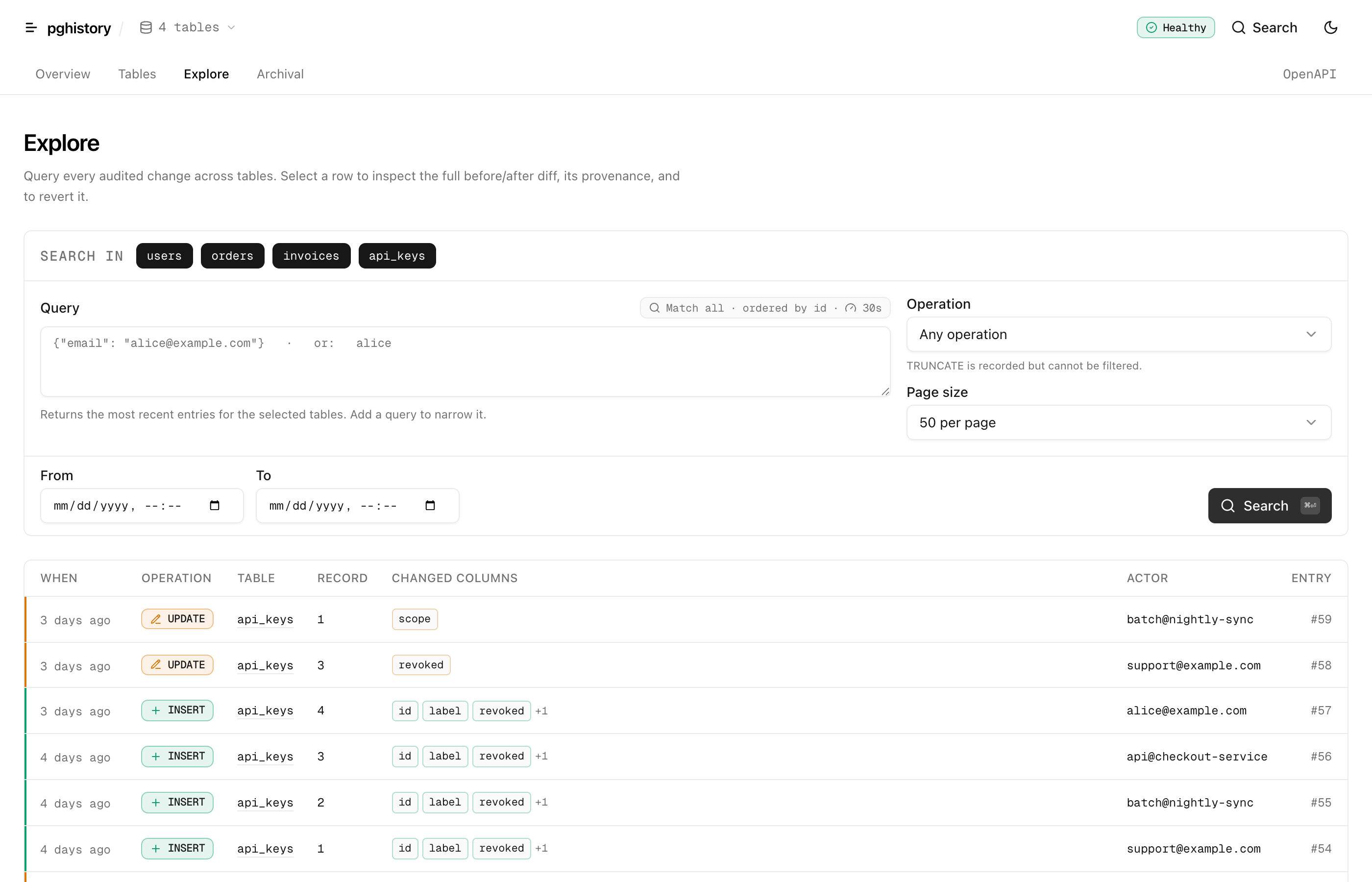
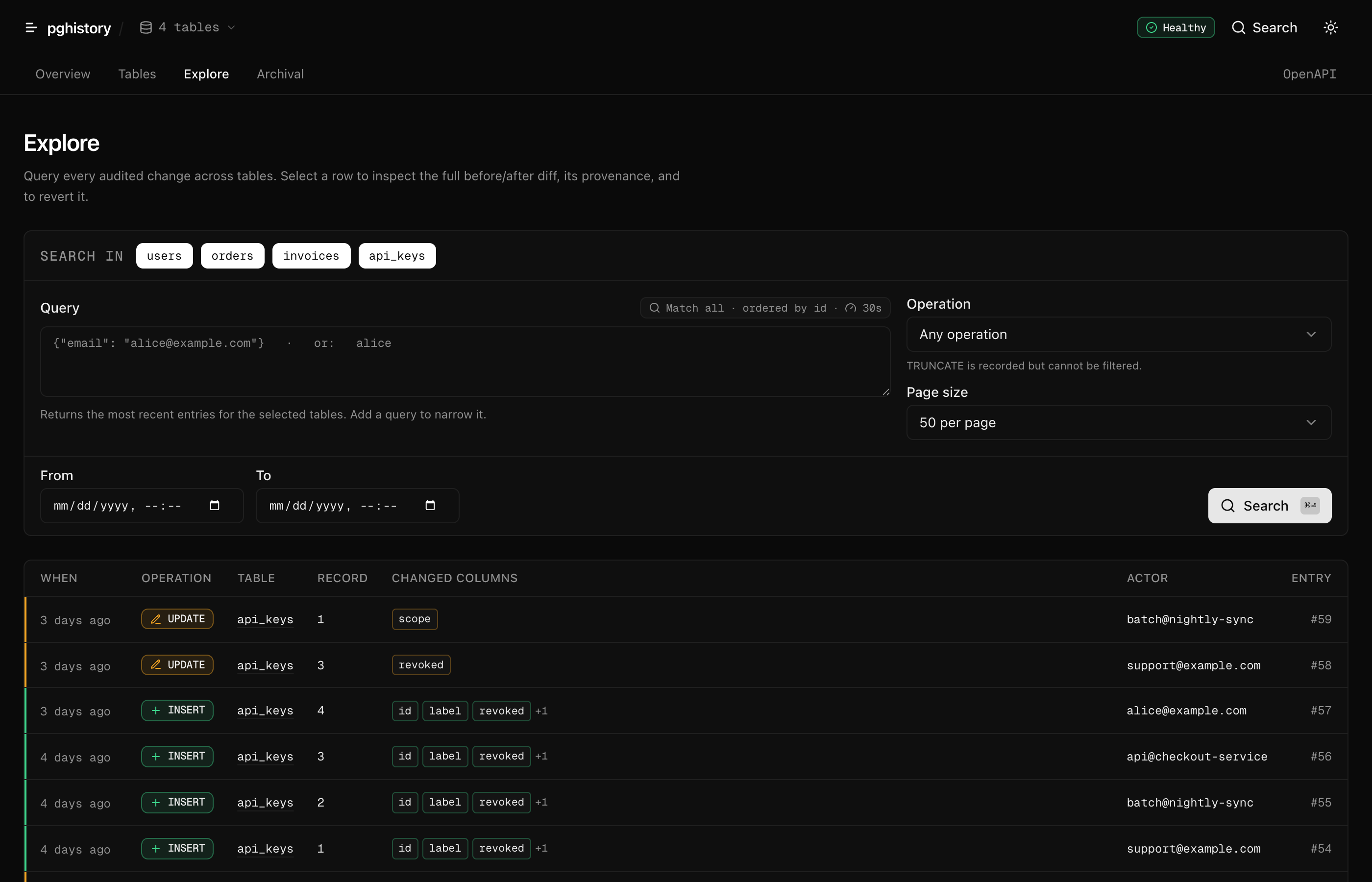
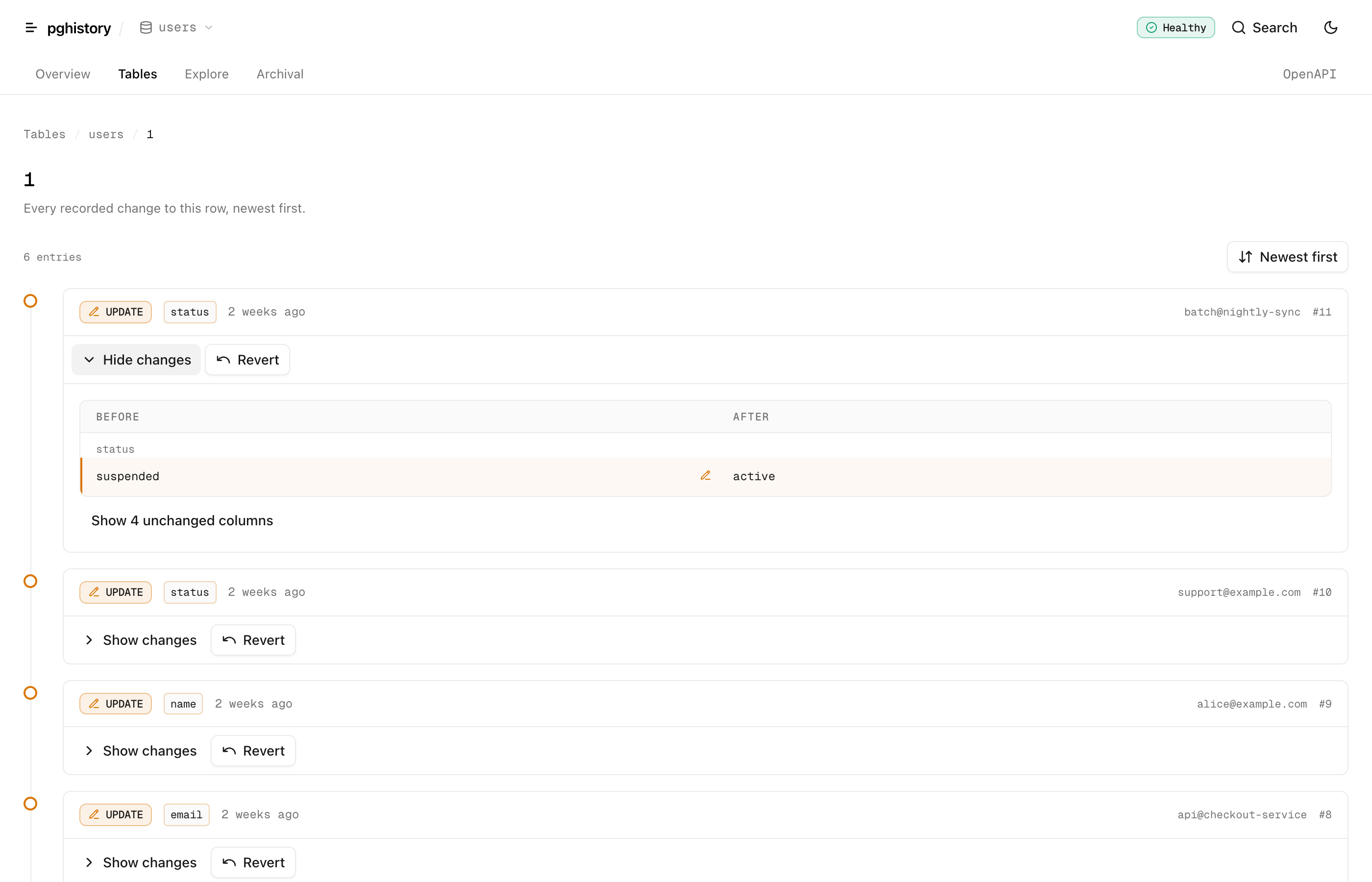
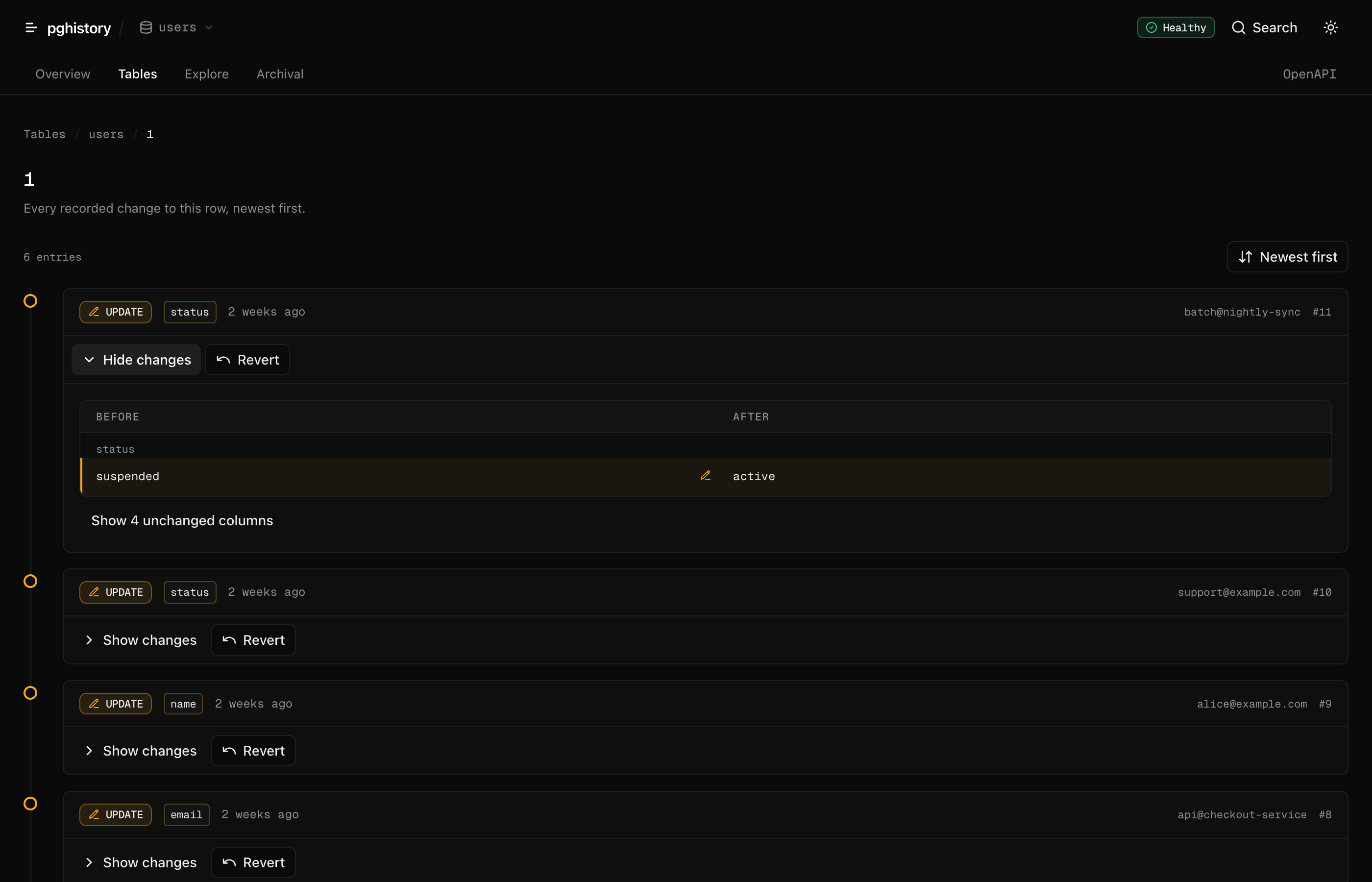
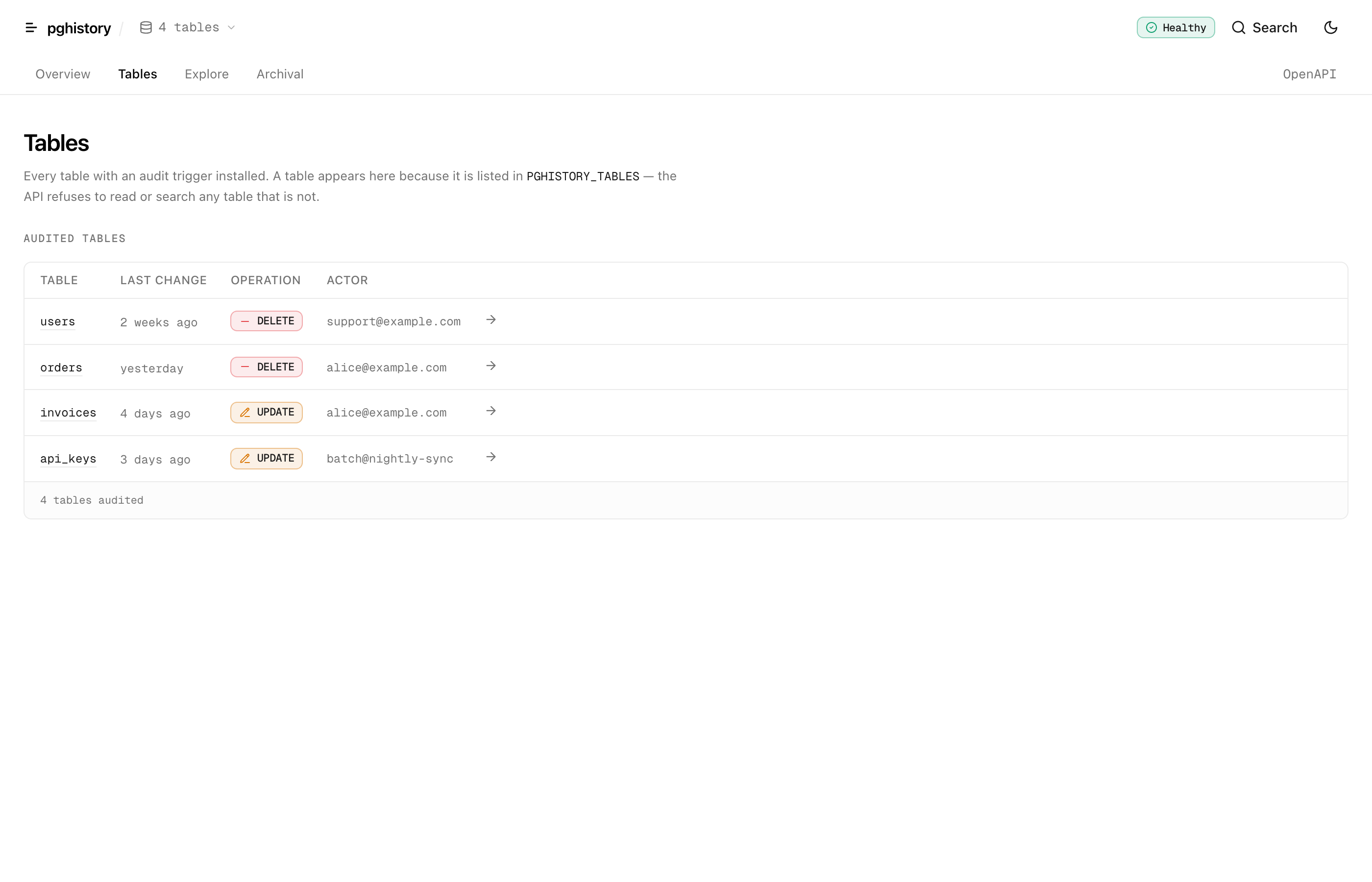
A ready-to-deploy Next.js UI for browsing, searching and reverting the audit trail. It lives in dashboard/ and is a single deployment: the same app mounts the real pg-history REST API at /api and renders the screens on top of it, so nothing else has to be running.
cd dashboard
cp .env.example .env.local   # PG_HISTORY_DATABASE_URL, PG_HISTORY_TABLES, PG_HISTORY_JWT_SECRET
bun install
bun run dev                  # builds the root package, then starts Next on :3000
It reads the same environment variables the server does — PG_HISTORY_TABLES is what enables the history screens, and setting PG_HISTORY_S3_BUCKET turns on the archival panels. See dashboard/README.md for the full walkthrough.
#Screens
| Route | What it does |
|---|---|
/ |
Health, archival backlog, recent activity across all tables, jump-to-record |
/search |
JSONB containment or ILIKE search with operation / date-range / table filters, cursor pagination, per-entry diff |
/tables |
Every audited table with its last change, actor and archival backlog |
/history/[table]/[recordId] |
One record's full timeline, oldest/newest ordering, per-entry revert |
/archival |
Archival status and on-demand runs |
/openapi |
The API reference, rendered from the OpenAPI document |
/api/* |
The pg-history REST API itself — for cron, scripts and other services |
#It never issues a token to the browser
Server components and server actions mint a 60-second HS256 JWT with jose and invoke the very same route handlers mounted at /api, in-process with a synthetic Request. No network hop, no CORS, one connection pool, and identical auth, validation and error semantics to any external caller. The JWT sub carries PG_HISTORY_DASHBOARD_ACTOR, which pg-history logs on every revert — set it to something identifiable per deployment.
Authentication is not authorization. The dashboard runs with a token it minted itself, so it has blanket access to every record of every configured table by design. Put it behind your own SSO or network boundary, and supply an authorize hook if you need per-tenant scoping. Do not expose it publicly.
Two behaviours worth knowing: archived history disappears from reads (both getHistory and search filter out soft-deleted rows, so once the archiver has run that history is in S3 and no longer visible here), and setting CRON_SECRET disables the "Run archival" button — /api/archive then requires a Bearer <CRON_SECRET> header, but the /api/* JWT middleware rejects anything that is not a valid token first, so archival becomes scheduler-only.
#Deployment
#Fly.io
A Dockerfile and fly.toml are included. The server runs as a long-lived process with background archival.
fly secrets set PG_HISTORY_DATABASE_URL=postgres://...
fly secrets set PG_HISTORY_JWT_SECRET=your-secret
fly secrets set PG_HISTORY_S3_BUCKET=audit-archives
fly secrets set PG_HISTORY_S3_ENDPOINT=https://...
fly secrets set PG_HISTORY_S3_ACCESS_KEY_ID=...
fly secrets set PG_HISTORY_S3_SECRET_ACCESS_KEY=...
fly deploy
The fly.toml is configured with:
min_machines_running = 1— ensures archival always runskill_timeout = 30s— gives in-flight archival time to finish on deploysPORT = 8080— matches Fly's internal port expectation
Archival runs immediately on startup and then on a periodic interval (default: every hour, configurable via PG_HISTORY_ARCHIVAL_INTERVAL_MS).
#Next.js (Serverless)
Auditing itself is runtime-independent — the triggers live in PostgreSQL. The pg-history/next entry point is a Next.js App Router route handler and runs anywhere Next.js runs; only the cron scheduling below is Vercel-specific.
Option A: Use the library directly in your API routes
// app/api/history/route.ts
import { Pool } from 'pg'
import { PgHistory } from 'pg-history'

const pool = new Pool({ connectionString: process.env.DATABASE_URL, max: 3 })
const history = new PgHistory({ pool, tables: ['users', 'orders'] })
const setupDone = history.setup()

export async function GET(req: Request) {
  await setupDone
  const url = new URL(req.url)
  const table = url.searchParams.get('table')!
  const recordId = url.searchParams.get('recordId')!
  const result = await history.getHistory(table, recordId)
  return Response.json(result)
}
Option B: Deploy the full REST API
// app/api/[[...route]]/route.ts
export { GET, POST } from 'pg-history/next'
Set environment variables on your host — all three are required:
PG_HISTORY_DATABASE_URL=postgres://...
PG_HISTORY_TABLES=users,orders
PG_HISTORY_JWT_SECRET=your-secret
The JWT secret is not optional here: this entry point always enables the history API, destructive revert included, so without a secret it refuses to start and every request returns 500 INIT_ERROR. PG_HISTORY_ALLOW_UNAUTHENTICATED is deliberately not wired up on this path.
The pg-history/next entry point automatically enables serverless: true, which:
- Skips background archival (use cron archival instead)
- Skips in-memory rate limiting (handle at API gateway / firewall level)
- Uses a small pool size (default 3) to stay within connection limits
#Cron Archival (Vercel Cron)
Serverless has no persistent process, so archival needs an external trigger. Add vercel.json next to the Option B route handler above, plus the S3 and CRON_SECRET variables from Environment Variables. Working example: examples/next/.
{
  "crons": [
    {
      "path": "/api/archive",
      "schedule": "0 */6 * * *"
    }
  ]
}
Vercel Cron calls POST /api/archive on schedule with Authorization: Bearer <CRON_SECRET> injected automatically; the endpoint verifies it, then runs archive → soft delete → hard delete and returns stats.
Two things to know: POST /api/archive only exists when PG_HISTORY_S3_BUCKET is set (that's what enables the archiver in pg-history/next), and the catch-all serves /api/** only — the public GET /health probe is unreachable here, so use /api/health/detailed or add your own app/health/route.ts.
Vercel plan limits:
- Hobby: Cron minimum interval 24h, function timeout 10s
- Pro: Cron minimum interval 1h, function timeout 60s
If archival takes longer than the function timeout, it will be interrupted. The design is retry-safe — unfinished records stay unarchived and get picked up on the next run. Set PG_HISTORY_BATCH_SIZE to a lower value (1000-2000) to keep individual runs within timeout limits.
Not on Vercel? vercel.json and CRON_SECRET injection are the only Vercel-specific pieces. Anywhere else, keep the same route handler and call POST /api/archive from your own scheduler (GitHub Actions, AWS EventBridge, Cloud Scheduler, a system crontab), sending Authorization: Bearer <CRON_SECRET> yourself.
#Serverless Considerations
| Concern | Impact | Mitigation |
|---|---|---|
| Connection pooling | Each invocation may create a pool | Use an external pooler (PgBouncer, Neon, Supabase, RDS Proxy). Set PG_HISTORY_POOL_MAX low (2-3). |
| Cold starts | setup() runs on every cold instance |
Already cheap: when the schema exists it short-circuits after one catalog probe (~5ms). Cache the promise at module level and call it freely. |
| Rate limiting | In-memory rate limiter resets per invocation | Use platform-level rate limiting (API Gateway, Vercel Firewall, Cloudflare). |
#Other Platforms
The Hono app returned by createServer() works with any platform Hono supports:
// AWS Lambda
import { handle } from 'hono/aws-lambda'
const { app } = await createServer({ pool, serverless: true, ... })
export const handler = handle(app)

// Cloudflare Workers
const { app } = await createServer({ pool, serverless: true, ... })
export default app#Archiver
Move old audit rows to S3 as compressed Parquet files. Hands off to Orchestrator for scheduling and PgHistoryArchiver for the upload + delete lifecycle. Concurrent runs are safe — advisory locks prevent two archivers from processing the same table.
#Lifecycle
Day 0:   Record created
Day 90:  Retention cutoff -> upload to S3 as Parquet -> mark archived_at
Day 90:  Soft delete (records with confirmed S3 backup)
Day 97:  Hard delete (after re-verifying S3 file exists + SHA-256 checksum)
S3 path: {table}/year={YYYY}/month={MM}/day={DD}/data-{uuid}.parquet
#Configuration
const { app } = await createServer({
  pool,
  enableArchiver: true,
  archiverConfig: {
    s3: {
      bucket: 'audit-archives',
      endpoint: 'https://s3.amazonaws.com',
      region: 'us-west-2',
      accessKeyId: process.env.S3_ACCESS_KEY_ID,
      secretAccessKey: process.env.S3_SECRET_ACCESS_KEY,
    },
    retention: {
      default: 90,
      tables: { logs: 7, sessions: 30 },
    },
    gracePeriod: 7,   // days between archive→soft-delete and soft→hard-delete.
                      // 0 = no grace (purge once the S3 backup is confirmed).
    batchSize: 10000,
  },
  runOptions: { dryRun: false },
  // Optional retry policy for background archival. Defaults shown.
  archivalRetry: {
    maxAttempts: 4,
    delays: [5_000, 15_000, 60_000], // length must be maxAttempts - 1
  },
  // Optional CORS — omit to disable entirely (server-to-server default)
  cors: { origin: 'https://app.example.com', credentials: true },
})
archiverConfig on createServer accepts only s3, retention, gracePeriod, and batchSize. The finer knobs — maxBatchBytes (default 64 MiB), staleClaimMinutes, and a per-archiver logger — are only available when constructing PgHistoryArchiver directly.
#Pruning long-term archives
Metadata + S3 grow linearly forever. Schedule periodic pruning of archives past compliance retention:
import { PgHistoryArchiver } from 'pg-history'

const archiver = new PgHistoryArchiver({ pool, ...config })
const cutoff = new Date(Date.now() - 365 * 24 * 60 * 60 * 1000) // 1 year
const deleted = await archiver.pruneArchive('users', cutoff)
Removes both the S3 object and its audit_archive_metadata row in lockstep.
#Cleaning up orphan S3 files
Run periodically to delete S3 files left behind by crashed archival workers:
const orphans = await archiver.cleanupOrphanedFiles('users', { maxDeletions: 10000 })Bounded per-call so a bucket with millions of orphans doesn't tie up one DB connection for hours. Idempotent — resume on next invocation.
To run archival on your own schedule instead of the server's, drive Orchestrator directly.
#Environment Variables
| Variable | Required | Description |
|---|---|---|
PG_HISTORY_DATABASE_URL |
Standalone server | PostgreSQL connection string |
PG_HISTORY_PORT |
No | Server port (also reads PORT, default 3001) |
PG_HISTORY_POOL_MAX |
No | Max pool connections (default 5, use 2-3 for serverless) |
PG_HISTORY_STATEMENT_TIMEOUT_MS |
No | Pool-wide statement_timeout (default 30000; 0 disables). Raise for a one-time archiver index build on a large existing log |
PG_HISTORY_JWT_SECRET |
pg-history/next entry point |
JWT auth on /api/*. The standalone server can skip it only with PG_HISTORY_ALLOW_UNAUTHENTICATED=true; pg-history/next has no such escape hatch |
PG_HISTORY_JWT_ALG |
No | JWT algorithm: HS256/384/512, RS256/384/512, ES256/384/512 (default HS256) |
PG_HISTORY_ALLOW_UNAUTHENTICATED |
No | Set true to let the standalone server start history endpoints without a JWT (local/trusted only). Read by the standalone server only — pg-history/next ignores it |
PG_HISTORY_TABLES |
pg-history/next entry point |
Comma-separated table names. Also what enables the history API on the standalone server — omit it and only /health is served |
PG_HISTORY_S3_BUCKET |
Archival | S3 bucket. Setting it is what enables the archiver on both entry points |
PG_HISTORY_S3_ENDPOINT |
No | Custom S3 endpoint (MinIO, R2, localstack). Omit for AWS; setting it also switches on path-style addressing |
PG_HISTORY_S3_ACCESS_KEY_ID |
No | Explicit access key. Omit both key vars to use the default AWS credential chain (IAM role, instance profile, env) |
PG_HISTORY_S3_SECRET_ACCESS_KEY |
No | Explicit secret key |
PG_HISTORY_S3_REGION |
No | S3 region (default us-east-1) |
PG_HISTORY_ARCHIVAL_INTERVAL_MS |
No | Background archival interval (default 3600000 / 1 hour) |
PG_HISTORY_RETENTION_DAYS |
No | Default retention period (default 90) |
PG_HISTORY_GRACE_PERIOD_DAYS |
No | Grace period before hard delete (default 7; 0 = no grace, purge once the S3 backup is confirmed) |
PG_HISTORY_BATCH_SIZE |
No | Archival batch size (default 10000) |
CRON_SECRET |
Cron archival (Vercel Cron) | Protects POST /api/archive; also authenticates /api/stats and /api/health/detailed in cron-only deployments |
#Production Caveats
Knobs and trade-offs, not bugs.
#Connection pooler compatibility
- The main pool can run behind PgBouncer transaction mode — every archival query uses
SET LOCAL statement_timeoutinside a short transaction. - The
Orchestratoradvisory-lock client is a standalonepg.Client, not borrowed from the pool. Session-level advisory locks require a stable connection — passlockConnectionStringinOrchestratorConfigto point it directly at PostgreSQL (bypass the pooler) or use a pooler in session mode for that one connection.
#Rate limiting
Built-in /api/* rate limiter is per-process in-memory: 100 requests/minute per IP with trustProxy: true, or a single global 1000/minute bucket otherwise. It only trusts x-forwarded-for / x-real-ip under trustProxy (behind a proxy that overwrites those headers) — a spoofable header would otherwise hand every request a fresh bucket. serverless: true skips the in-process limiter entirely — the mode-independent DoS backstop is the search() concurrency cap (maxConcurrentSearches). For production, also terminate rate limiting at your API gateway (Cloudflare, AWS API Gateway, Vercel Firewall).
#audit_archive_metadata and S3 growth
INSERT-only by design. After hard-delete, audit_log rows are gone but the S3 file + metadata row stay for compliance. Schedule archiver.pruneArchive(table, olderThan) weekly/monthly to bound long-term storage. cleanupOrphanedFiles only removes S3 files not in metadata — not the metadata itself.
#hardDeletePurged lock window
S3 existence + checksum verification happens before the delete transaction; the locked FOR UPDATE transaction then does a pure re-check + DELETE with no network I/O, so row locks are held only for the DB round-trip, not S3 latency. (A small window where an external actor deletes the S3 object between verify and delete is accepted — cleanupOrphanedFiles and the next run reconcile it.) Still, run hard-delete on its own schedule, not in the same loop as processBatch, if you have heavy concurrent writes.
#Memory under wide rows
maxBatchBytes (default 64 MiB) is a soft cap based on serialized JSON length. Peak process memory is roughly this ×3 (decoded rows + Parquet buffer + upload buffer), so the 64 MiB default stays safe on a 512 MB VM. If you audit columns with multi-MB jsonb, keep maxBatchBytes well under 30-50% of available RSS. Excluded columns (excludeColumns) reduce the per-row payload at source.
#Trigger ownership (SECURITY DEFINER)
Generated trigger functions run with the privileges of their owner — whoever ran setup(). If that role is superuser, audit inserts run with superuser privilege. For least-privilege deployments, create a dedicated pg_history_writer role with INSERT on audit_log and either run setup() as that role, or post-setup do ALTER FUNCTION audit_trigger_func_<table>() OWNER TO pg_history_writer.
#Tamper-resistance / append-only
appendOnly: true installs a guard trigger that blocks UPDATE/DELETE on audit_log outside the pg-history maintenance context (PostgreSQL 14+). That stops accidental and casual tampering, but a role with write access can still set the bypass flag — so it is tamper-resistance, not proof. For genuine WORM guarantees, layer on: REVOKE UPDATE, DELETE, TRUNCATE ON audit_log from the application role (run the archiver under a separate privileged role), enforce S3 Object Lock on the archive bucket, and add a per-row hash chain if you need cryptographic evidence.
#Metrics & observability
No metrics emitted natively. Wire your monitor of choice via the injected Logger:
import pino from 'pino'
const logger = pino()
new PgHistory({ pool, tables, logger })
new PgHistoryArchiver({ pool, ...config, logger })
Then aggregate by event name (Archival complete, Batch failed, Pool idle client error, etc.).
#Schema-drift on archive replay
revert() cross-checks audit columns against current table schema and refuses to write to columns the table no longer has. After heavy schema migrations, run a representative revert() in staging to confirm restorability.
#Error Handling
Typed error classes, all extending PgHistoryError:
import {
  PgHistoryError,               // Base class for all pg-history errors
  TableNotConfiguredError,       // Table not in configured tables list
  SetupRequiredError,            // setup() not called before query
  AuditEntryNotFoundError,       // Audit entry not found for revert
  ValidationError,               // Input validation failure
  RevertError,                   // Revert operation failure
  AuthorizationError,            // authorize() hook denied the request (HTTP 403)
  SearchConcurrencyLimitError,   // too many concurrent search() calls (HTTP 429)
} from 'pg-history'

try {
  await history.getHistory('unknown_table', '1')
} catch (error) {
  if (error instanceof TableNotConfiguredError) {
    // handle specifically
  }
}#Limitations
- TRUNCATE is audited as a single marker entry (
operation: 'TRUNCATE',record_id: '(truncate)') — it has no per-row before/after images. - DDL not audited.
ALTER TABLE,DROP TABLE, etc. - Revert requires a primary key.
- PK changes require re-setup. Call
teardown()thensetup(). - Column changes are fine. JSONB adapts automatically.
- Text search (ILIKE) is slow on large tables. Use JSON containment queries (
{"key": "value"}) for indexed search. Text search has a 5-second timeout, and concurrent searches are capped (maxConcurrentSearches). - Append-only enforcement is opt-in (
appendOnly: true, PostgreSQL 14+) and is tamper-resistance, not cryptographic tamper-evidence — see Production Caveats.
#License
MIT